From app to agent. In minutes.
Add AI to your app.
Without a rewrite.
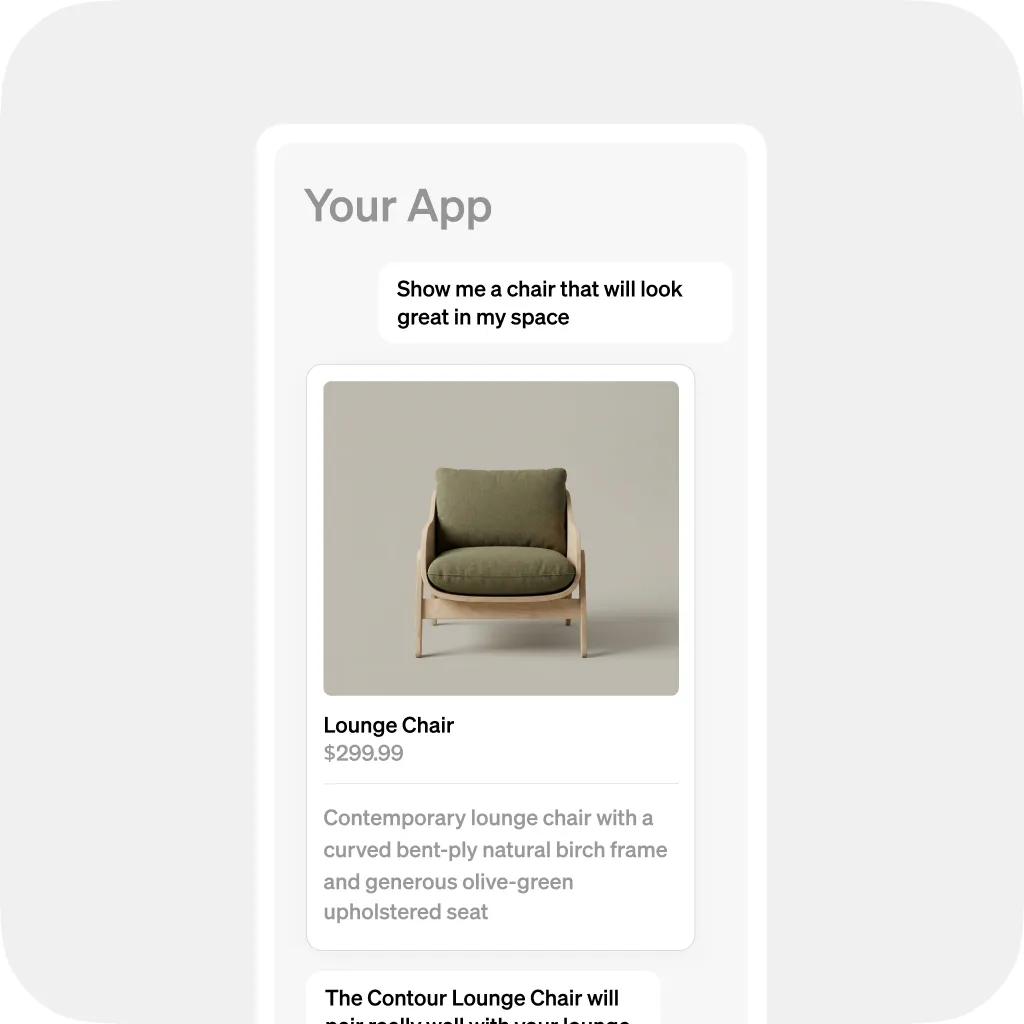
Metabind turns the components and APIs you already have into a governed agent your customers can talk to. It takes them straight to what they came for. We host everything, so there is no server to run.
Start Free
Try the Demo
Mobile Demo
Desktop Demo
Your design system.
In the conversation.
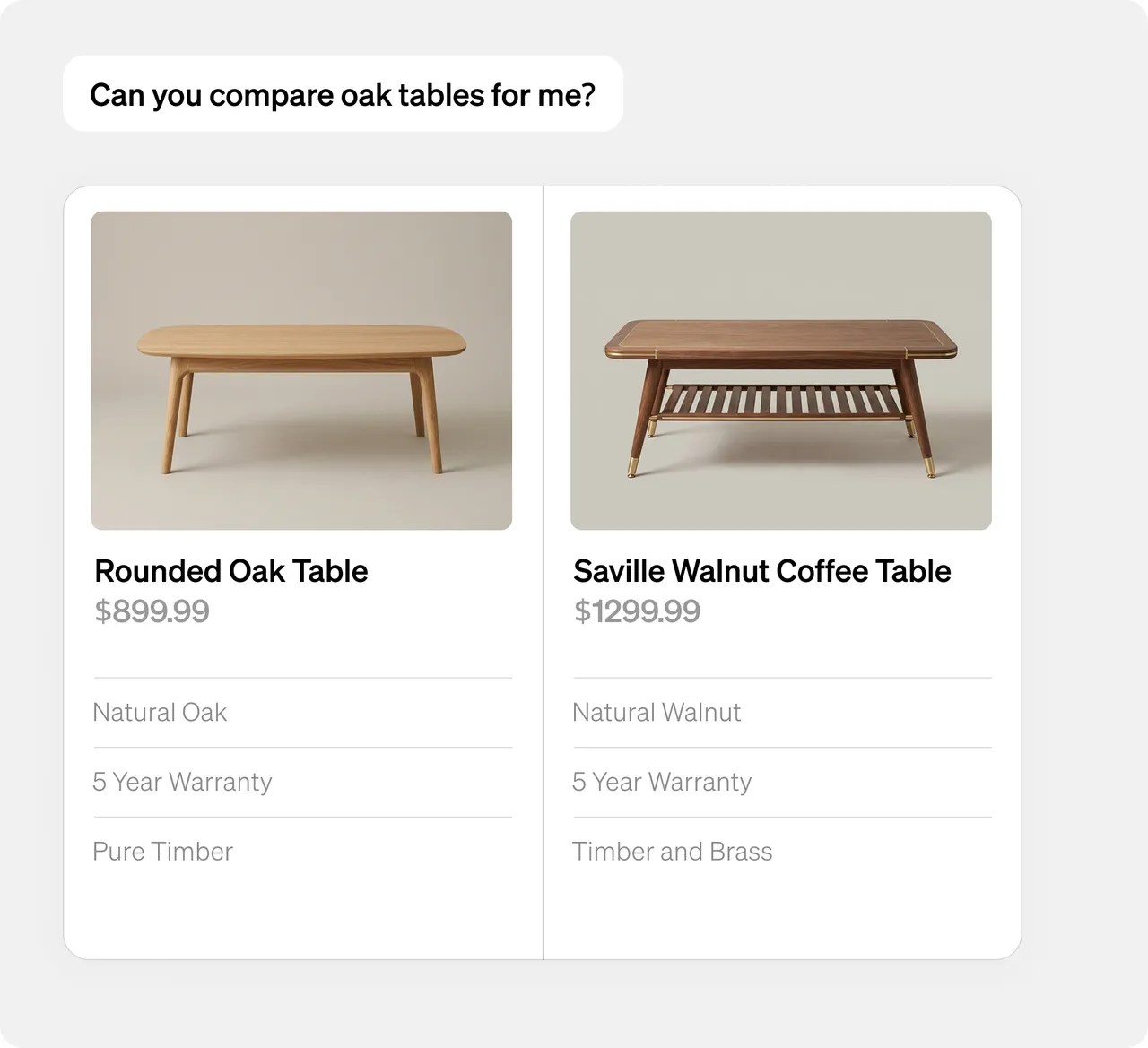
Your agent doesn't type back. It shows you. Product cards, dashboards, galleries, video, 3D, rendered in the conversation as your actual interface, not a wall of text. And the agent can render only components you approved.
Interactive Tools Docs
Three steps from the app you have to the agent your customers use.
Getting Started Docs
1
Convert
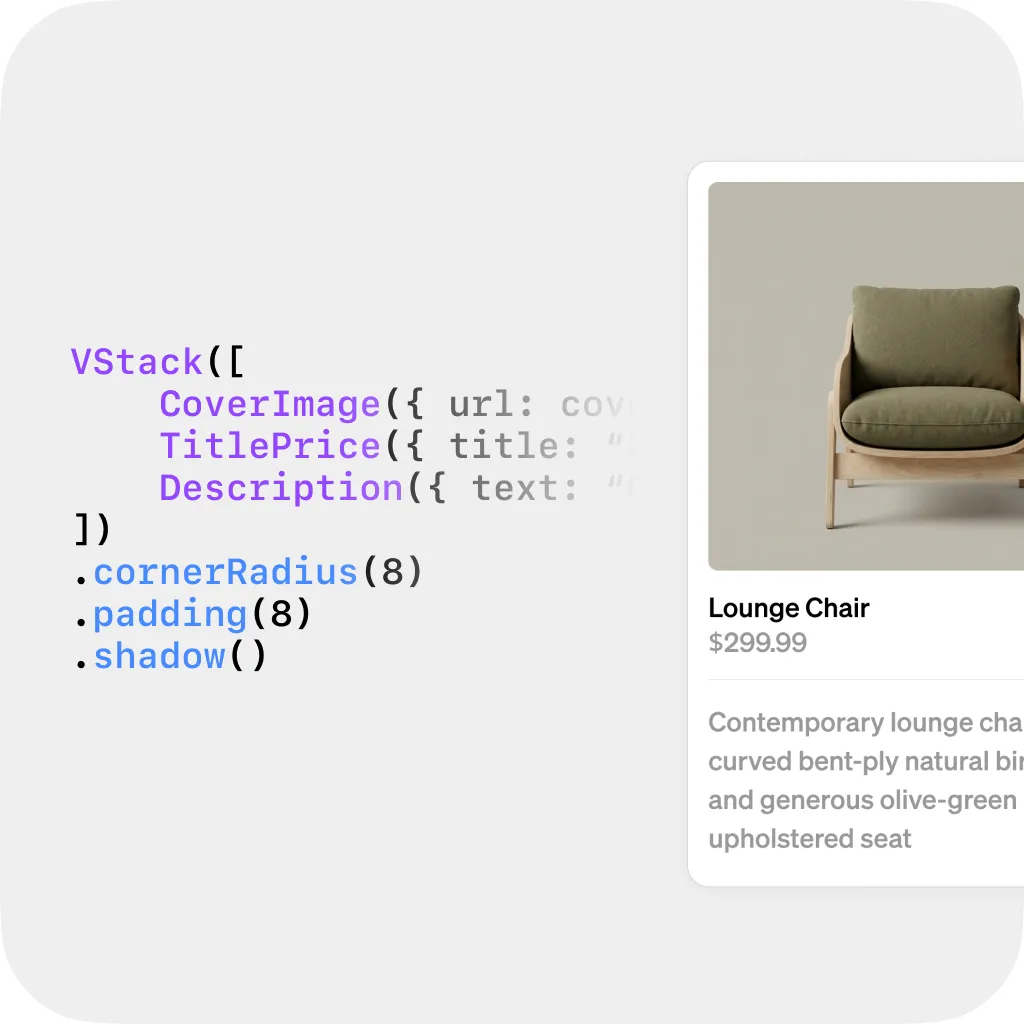
Your coding agent converts your SwiftUI, Jetpack Compose, or React components, or a Figma file, into BindJS. The Metabind CLI imports them into your workspace and wraps your REST or GraphQL endpoints as tools. Your design system carries over. Only the syntax changes.
2
Playground
Talk to your agent before your customers do. The Playground in MCP App Studio runs your tools live, so you can change a component or the agent's script and see the result in the same pass. To test on a real device, point the Assistant SDK at your draft endpoint and run your own app.
3
Publish
One button. Metabind generates a standards-compliant MCP server, hosts it, and scales it. Your agent goes live inside your own app through the Assistant SDK, and across Claude, ChatGPT, and every MCP host.
A governed agent, not a gamble.
Your agent follows the scripts you author, stays on brand, and can only render components you approved, validated on every render. Under the hood it is a standards-compliant MCP App (SEP-1724, SEP-1865), so the same agent also runs in Claude and ChatGPT. The biggest brands built their own agents. You don't have to build yours.

Checked on every render.
Every tool response, every render. Invalid data is rejected with a typed error and never reaches the user.
Only components you approved.
Allowlists bound what can appear: a product-search tool renders product cards, not an admin table.
It follows your scripts.
Greet like this. Ask X before Y. Never leave the catalog. The agent holds to the script you author, on every turn.
Common Questions
Do I have to rebuild my app?
What's the free tier?
Can I use my own components?
Make your app think.
No credit card. No sales call. No server to run.
Start Free
Try the Demo
Product
Platform
BindJS Playground
Demo
Resources
Docs
Support
Contact
4962 El Camino Real · Suite 102 · Los Altos CA 94022
From app to agent. In minutes.
Add AI to your app.
Without a rewrite.
Metabind turns the components and APIs you already have into a governed agent your customers can talk to. It takes them straight to what they came for. We host everything, so there is no server to run.
Start Free
Try the Demo
Mobile Demo
Desktop Demo
Your design system.
In the conversation.
Your agent doesn't type back. It shows you. Product cards, dashboards, galleries, video, 3D, rendered in the conversation as your actual interface, not a wall of text. And the agent can render only components you approved.
Interactive Tools Docs
Three steps from the app you have to the agent your customers use.
Getting Started Docs
1
Convert
Your coding agent converts your SwiftUI, Jetpack Compose, or React components, or a Figma file, into BindJS. The Metabind CLI imports them into your workspace and wraps your REST or GraphQL endpoints as tools. Your design system carries over. Only the syntax changes.
2
Playground
Talk to your agent before your customers do. The Playground in MCP App Studio runs your tools live, so you can change a component or the agent's script and see the result in the same pass. To test on a real device, point the Assistant SDK at your draft endpoint and run your own app.
3
Publish
One button. Metabind generates a standards-compliant MCP server, hosts it, and scales it. Your agent goes live inside your own app through the Assistant SDK, and across Claude, ChatGPT, and every MCP host.
A governed agent, not a gamble.
Your agent follows the scripts you author, stays on brand, and can only render components you approved, validated on every render. Under the hood it is a standards-compliant MCP App (SEP-1724, SEP-1865), so the same agent also runs in Claude and ChatGPT. The biggest brands built their own agents. You don't have to build yours.

Checked on every render.
Every tool response, every render. Invalid data is rejected with a typed error and never reaches the user.
Only components you approved.
Allowlists bound what can appear: a product-search tool renders product cards, not an admin table.
It follows your scripts.
Greet like this. Ask X before Y. Never leave the catalog. The agent holds to the script you author, on every turn.
Common Questions
Do I have to rebuild my app?
What's the free tier?
Can I use my own components?
Make your app think.
No credit card. No sales call. No server to run.
Start Free
Try the Demo
Product
Platform
BindJS Playground
Demo
Resources
Docs
Support
Contact
4962 El Camino Real · Suite 102 · Los Altos CA 94022
From app to agent. In minutes.
Add AI to your app.
Without a rewrite.
Metabind turns the components and APIs you already have into a governed agent your customers can talk to. It takes them straight to what they came for. We host everything, so there is no server to run.
Start Free
Try the Demo
Mobile Demo
Desktop Demo
Your design system.
In the conversation.
Your agent doesn't type back. It shows you. Product cards, dashboards, galleries, video, 3D, rendered in the conversation as your actual interface, not a wall of text. And the agent can render only components you approved.
Interactive Tools Docs
Three steps from the app you have to the agent your customers use.
Getting Started Docs
1
Convert
Your coding agent converts your SwiftUI, Jetpack Compose, or React components, or a Figma file, into BindJS. The Metabind CLI imports them into your workspace and wraps your REST or GraphQL endpoints as tools. Your design system carries over. Only the syntax changes.
2
Playground
Talk to your agent before your customers do. The Playground in MCP App Studio runs your tools live, so you can change a component or the agent's script and see the result in the same pass. To test on a real device, point the Assistant SDK at your draft endpoint and run your own app.
3
Publish
One button. Metabind generates a standards-compliant MCP server, hosts it, and scales it. Your agent goes live inside your own app through the Assistant SDK, and across Claude, ChatGPT, and every MCP host.
A governed agent, not a gamble.
Your agent follows the scripts you author, stays on brand, and can only render components you approved, validated on every render. Under the hood it is a standards-compliant MCP App (SEP-1724, SEP-1865), so the same agent also runs in Claude and ChatGPT. The biggest brands built their own agents. You don't have to build yours.

Checked on every render.
Every tool response, every render. Invalid data is rejected with a typed error and never reaches the user.
Only components you approved.
Allowlists bound what can appear: a product-search tool renders product cards, not an admin table.
It follows your scripts.
Greet like this. Ask X before Y. Never leave the catalog. The agent holds to the script you author, on every turn.
Common Questions
Do I have to rebuild my app?
What's the free tier?
Can I use my own components?
Make your app think.
No credit card. No sales call. No server to run.
Start Free
Try the Demo
Product
Platform
BindJS Playground
Demo
Resources
Docs
Support
Contact
4962 El Camino Real · Suite 102 · Los Altos CA 94022